HYDR 8 — Smart Hydration Tracking App
HYDR 8 — Smart Hydration Tracking App
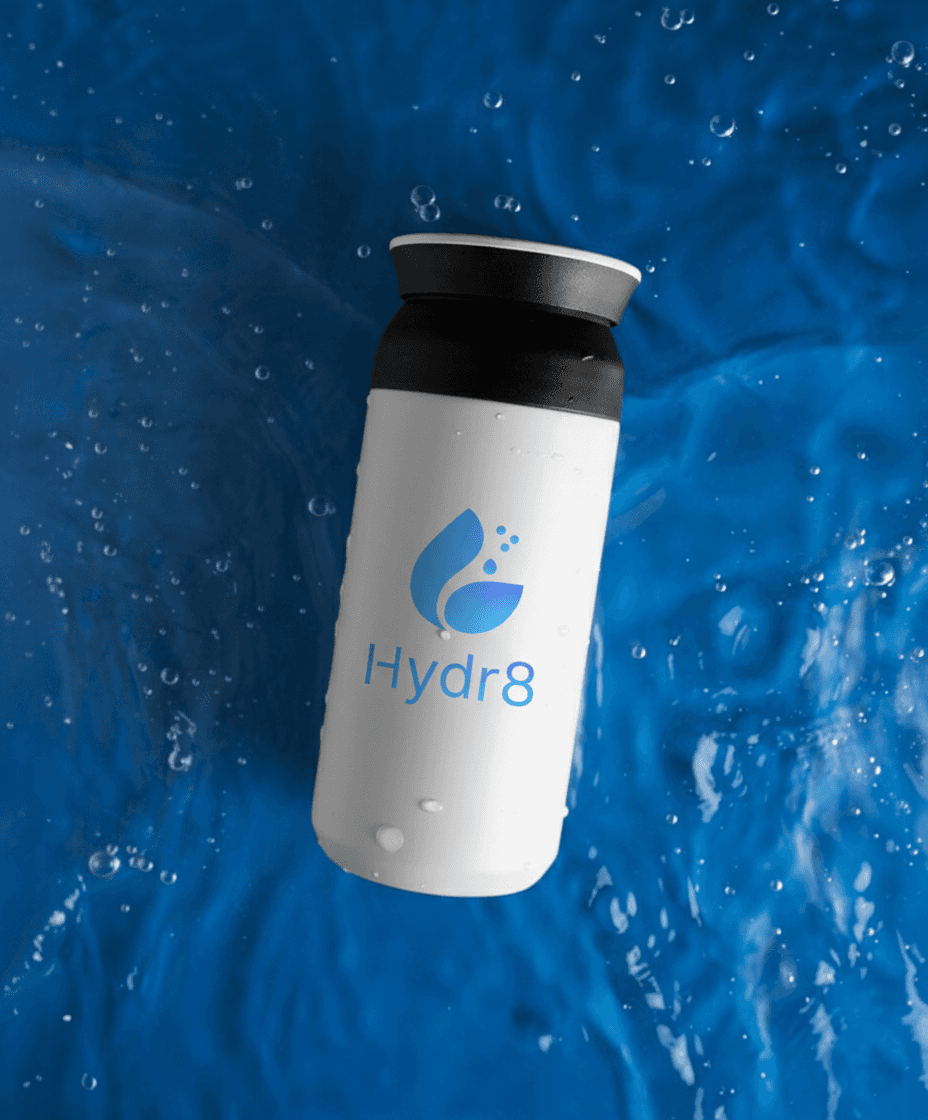
Hydr8 is a smart hydration tracking app designed to help users maintain consistent water intake through personalized goals, reminders, and engaging progress tracking. The goal was to simplify hydration tracking and improve user consistency by creating a motivating and easy-to-use experience.
Hydr8 is a smart hydration tracking app designed to help users maintain consistent water intake through personalized goals, reminders, and engaging progress tracking. The goal was to simplify hydration tracking and improve user consistency by creating a motivating and easy-to-use experience.
Project:
Project:
HYDR8
HYDR8
Role:
Role:
UI/UX Designer
UI/UX Designer
Tools:
Tools:
Figma
Figma
Industry :
Industry :
Digital Health & Wellness Technology
Digital Health & Wellness Technology
Problem
Problem
Many users struggle to maintain proper hydration due to:
Lack of awareness about daily water intake
Generic apps that don’t provide personalization
Low motivation to build consistent habits
Difficulty tracking intake during busy routines
👉 Users need a simple, personalized, and engaging solution to build long-term hydration habits.
Many users struggle to maintain proper hydration due to:
Lack of awareness about daily water intake
Generic apps that don’t provide personalization
Low motivation to build consistent habits
Difficulty tracking intake during busy routines
👉 Users need a simple, personalized, and engaging solution to build long-term hydration habits.
Solution
Solution
A user-friendly hydration app that allows users to:
Track daily water intake easily
Receive reminders based on routine
Monitor progress visually
Stay motivated through gamified elements
A user-friendly hydration app that allows users to:
Track daily water intake easily
Receive reminders based on routine
Monitor progress visually
Stay motivated through gamified elements
My Role
My Role
Conducted research and defined user flows
Designed wireframes and high-fidelity UI
Built a consistent design system
Focused on usability and habit-building experience
Conducted research and defined user flows
Designed wireframes and high-fidelity UI
Built a consistent design system
Focused on usability and habit-building experience
Target Users
Target Users
Health-conscious individuals
Fitness users
Busy professionals who forget to drink water
Health-conscious individuals
Fitness users
Busy professionals who forget to drink water
Key Challenges
Key Challenges
Making hydration tracking quick and effortless
Keeping users motivated daily
Providing meaningful personalization
Avoiding repetitive and boring interactions
Making hydration tracking quick and effortless
Keeping users motivated daily
Providing meaningful personalization
Avoiding repetitive and boring interactions
Design Process
Design Process
Research
Analyzed user behavior and existing hydration apps
Identified key issues: low engagement, lack of personalization
Define
Mapped user journey from onboarding to daily tracking
Design
Created simple and intuitive flows
Focused on clarity and engagement
Validate
Ensured easy logging and smooth navigation
Research
Analyzed user behavior and existing hydration apps
Identified key issues: low engagement, lack of personalization
Define
Mapped user journey from onboarding to daily tracking
Design
Created simple and intuitive flows
Focused on clarity and engagement
Validate
Ensured easy logging and smooth navigation
Key Design Decisions
Key Design Decisions
Personalized Hydration Goals
Goals are tailored based on user inputs like age, weight, and activity level.
Gamification for Engagement
Introduced streaks, reminders, and achievements to motivate users.Quick Logging Experience
Reduced steps required to log water intake.Clean and Friendly Interface
Designed a simple UI to make the experience approachable and stress-free.
Personalized Hydration Goals
Goals are tailored based on user inputs like age, weight, and activity level.
Gamification for Engagement
Introduced streaks, reminders, and achievements to motivate users.Quick Logging Experience
Reduced steps required to log water intake.Clean and Friendly Interface
Designed a simple UI to make the experience approachable and stress-free.
Dashboard Screen
Dashboard Screen
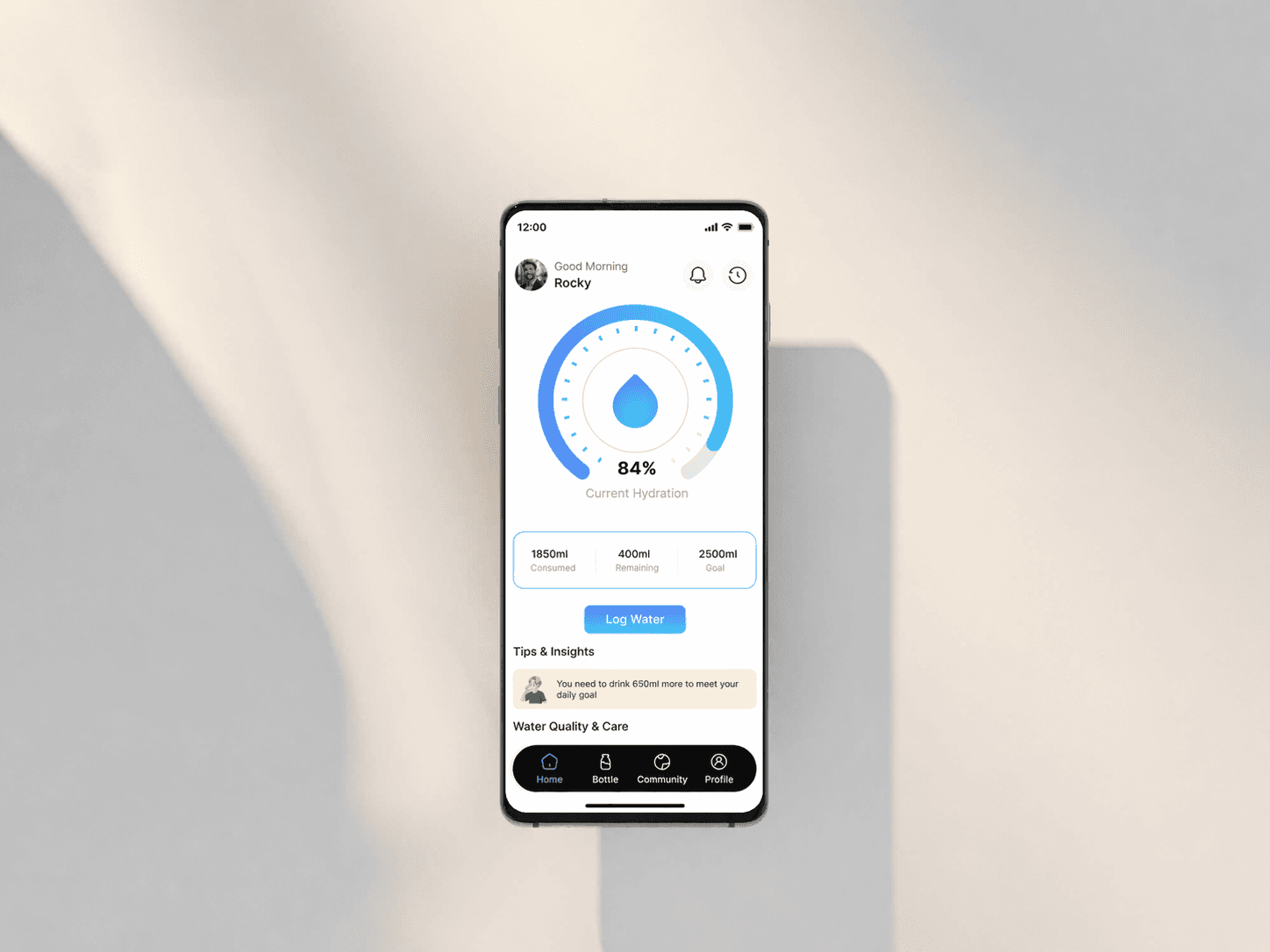
The dashboard provides a clear overview of daily hydration status, including intake levels, remaining goals, and quick insights. Information is prioritized and visually structured to allow users to instantly understand their progress. This helps users stay aware and maintain consistent hydration throughout the day.
The dashboard provides a clear overview of daily hydration status, including intake levels, remaining goals, and quick insights. Information is prioritized and visually structured to allow users to instantly understand their progress. This helps users stay aware and maintain consistent hydration throughout the day.
Water Logging Screen
Water Logging Screen
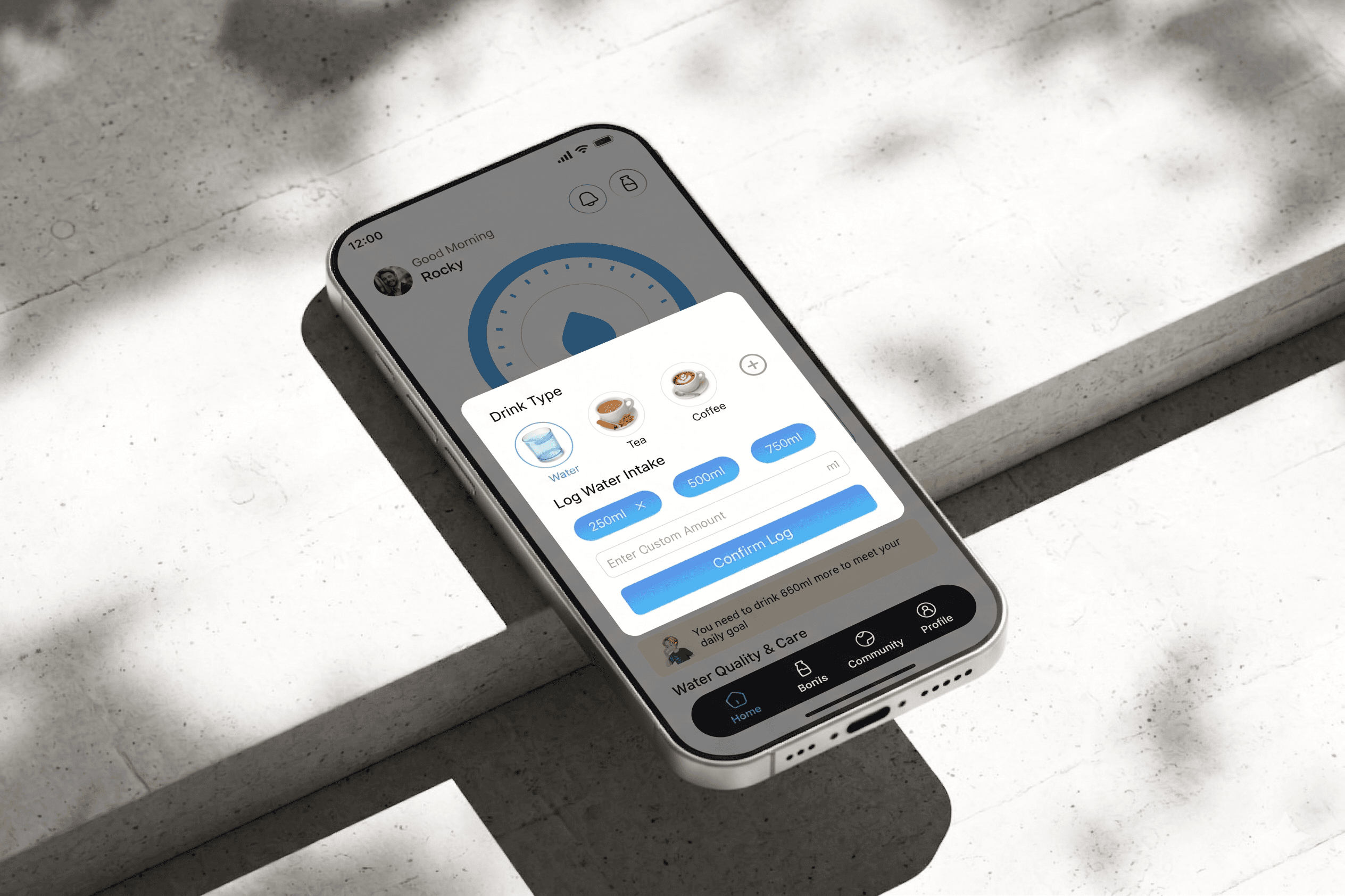
The logging experience is designed for quick and effortless input, allowing users to record water intake with minimal interaction. Predefined options reduce effort and speed up the process. This minimizes friction and encourages frequent usage.
The logging experience is designed for quick and effortless input, allowing users to record water intake with minimal interaction. Predefined options reduce effort and speed up the process. This minimizes friction and encourages frequent usage.
Bottle Device Screen
Bottle Device Screen
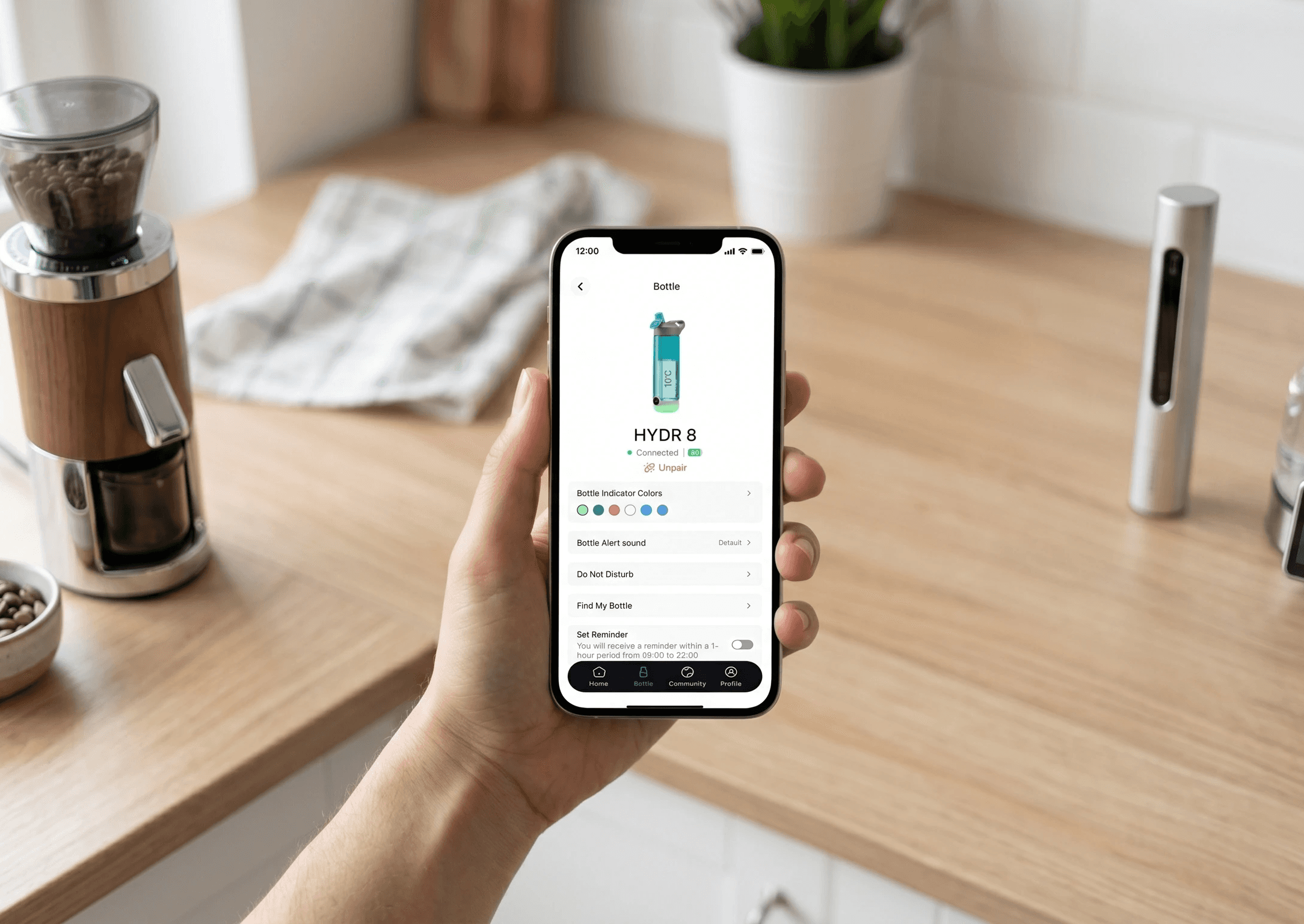
The bottle device screen connects the physical smart bottle with the app, providing real-time tracking and device status. Users can monitor bottle connectivity, battery, and syncing information easily. This ensures a seamless integration between hardware and app experience.
The bottle device screen connects the physical smart bottle with the app, providing real-time tracking and device status. Users can monitor bottle connectivity, battery, and syncing information easily. This ensures a seamless integration between hardware and app experience.
Water Quality Screen
Water Quality Screen
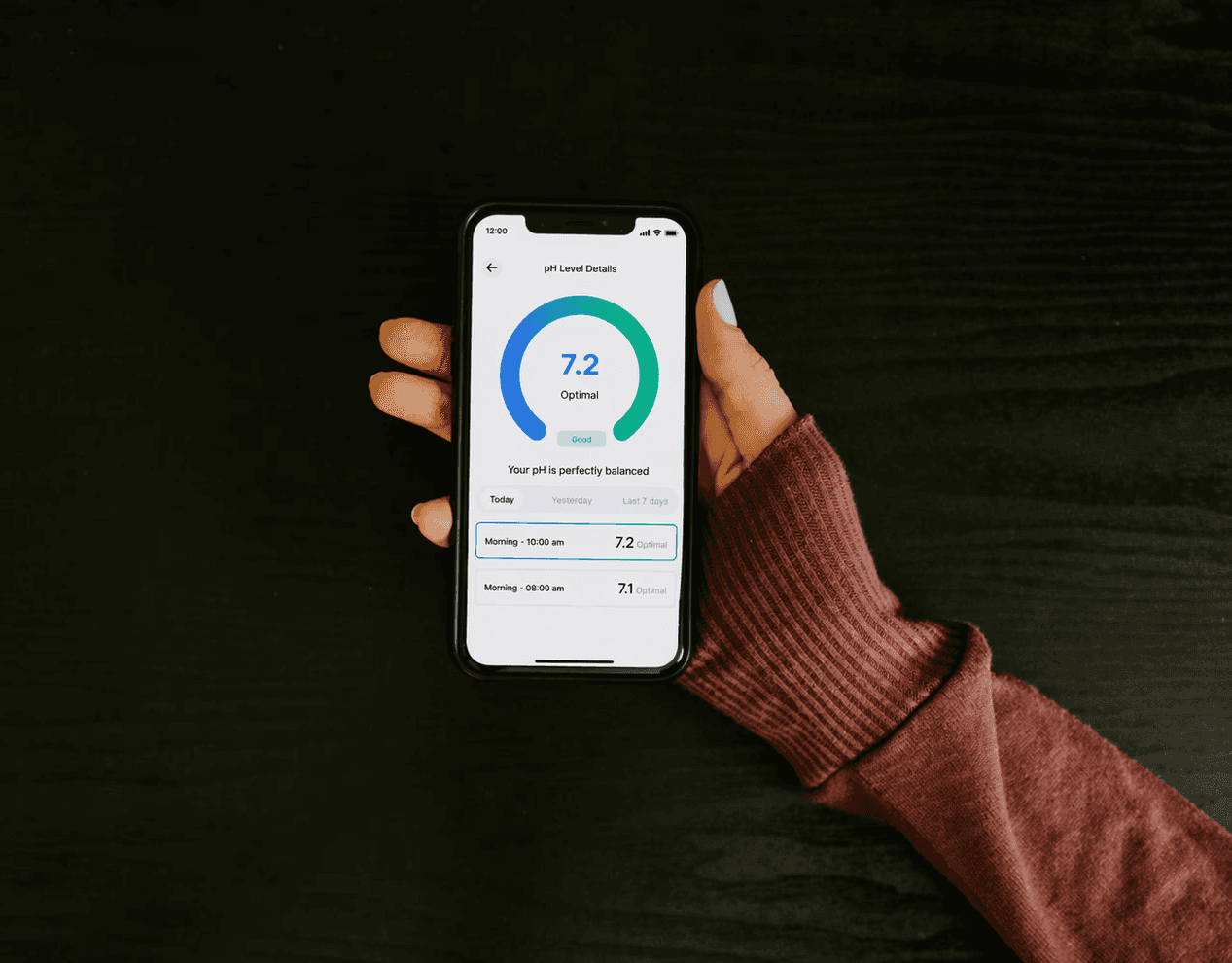
The water quality screen provides insights into water safety and purity levels using simple indicators. Information is presented clearly to help users quickly understand quality status. This builds user trust and ensures safe hydration.
The water quality screen provides insights into water safety and purity levels using simple indicators. Information is presented clearly to help users quickly understand quality status. This builds user trust and ensures safe hydration.
Bottle Care Screen
Bottle Care Screen
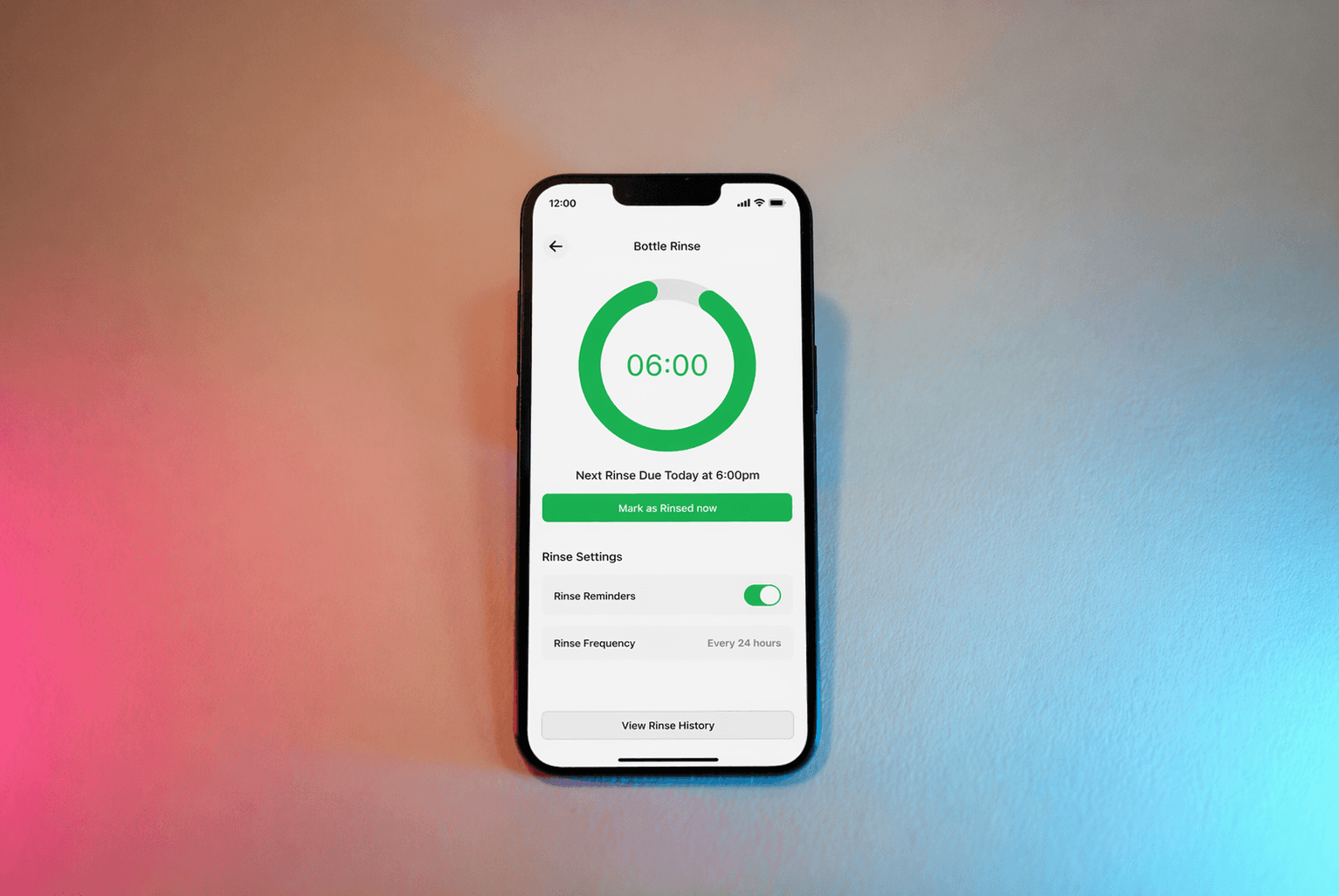
The bottle care section helps users maintain their device by providing cleaning reminders and usage guidance. Clear instructions and alerts ensure proper maintenance of the bottle. This improves device longevity and hygiene.
The bottle care section helps users maintain their device by providing cleaning reminders and usage guidance. Clear instructions and alerts ensure proper maintenance of the bottle. This improves device longevity and hygiene.
History & Analytics Screen
History & Analytics Screen
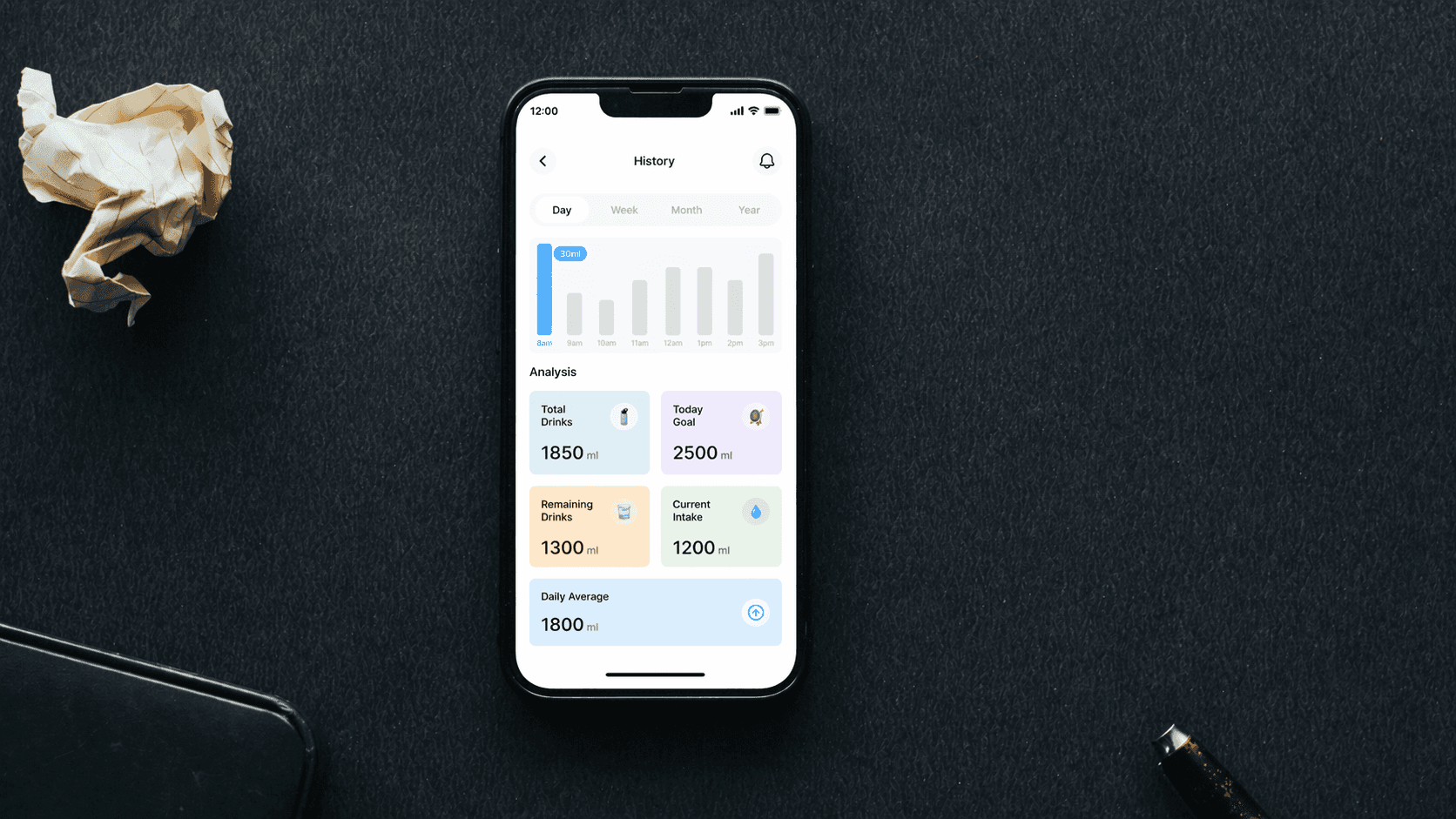
The analytics screen transforms hydration data into simple visual insights using charts and trends. Instead of raw data, users can easily understand patterns, performance, and consistency. This supports better habit tracking and informed decisions.
The analytics screen transforms hydration data into simple visual insights using charts and trends. Instead of raw data, users can easily understand patterns, performance, and consistency. This supports better habit tracking and informed decisions.
Community Screen
Community Screen
The community feature enables users to connect, share progress, and stay motivated through social interaction. Users can view achievements, participate, and engage with others. This increases motivation and builds a sense of accountability.
The community feature enables users to connect, share progress, and stay motivated through social interaction. Users can view achievements, participate, and engage with others. This increases motivation and builds a sense of accountability.
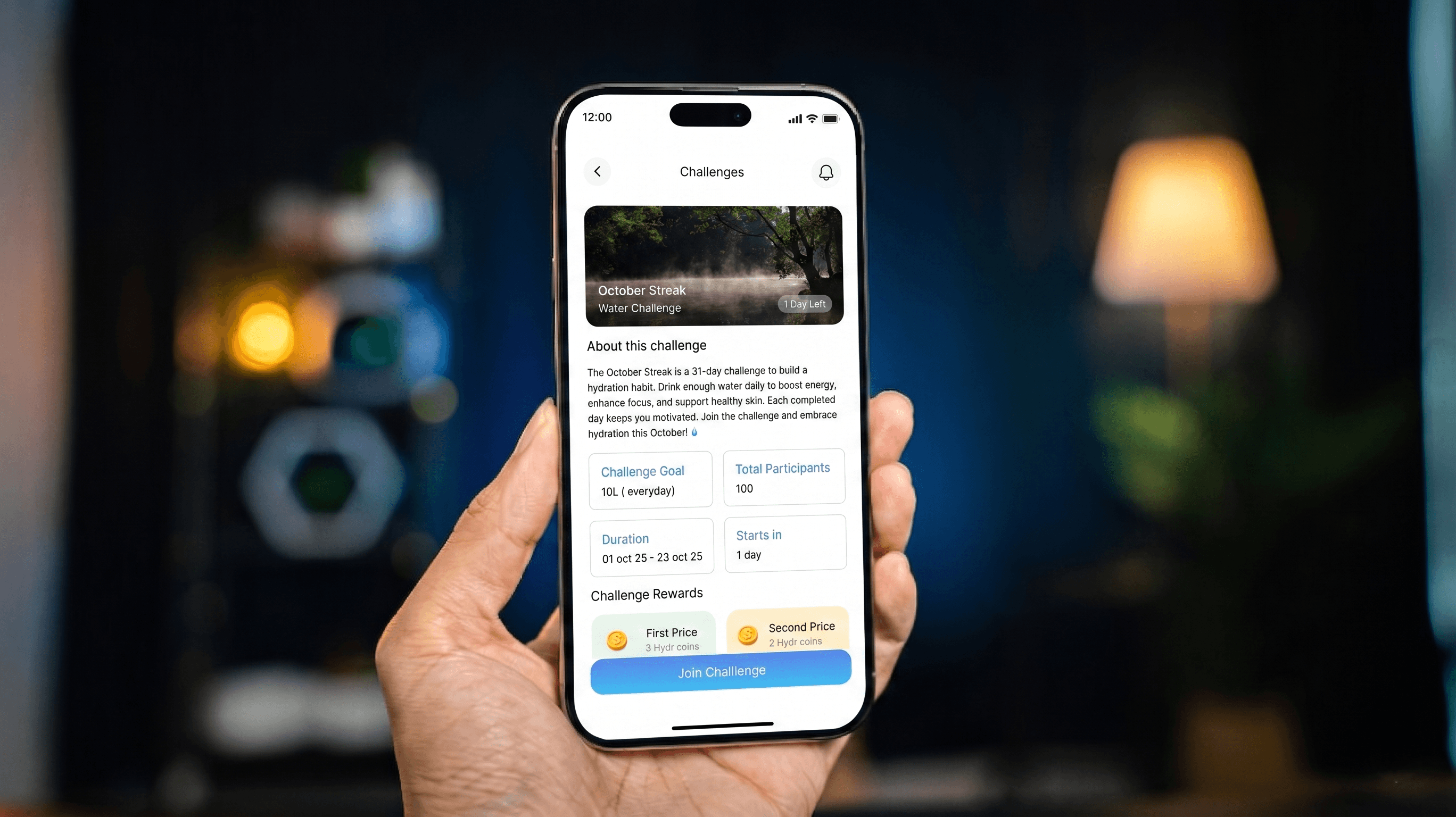
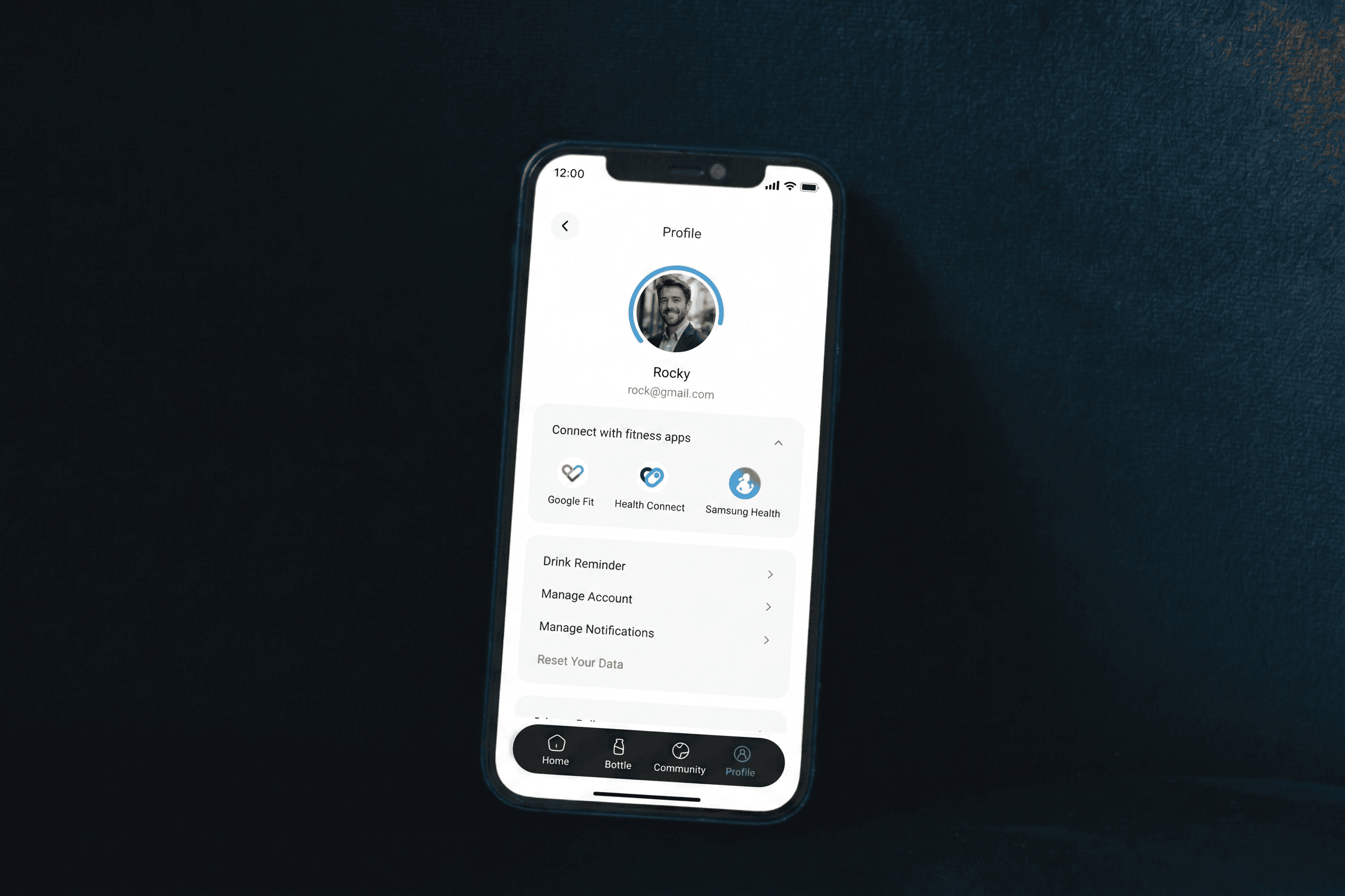
Profile Screen
Profile Screen
The profile screen allows users to manage personal information, preferences, and hydration goals. Settings are organized clearly for easy access and updates. This ensures a personalized and controlled user experience.
The profile screen allows users to manage personal information, preferences, and hydration goals. Settings are organized clearly for easy access and updates. This ensures a personalized and controlled user experience.