AI-Powered CRM Platform
AI-Powered CRM Platform
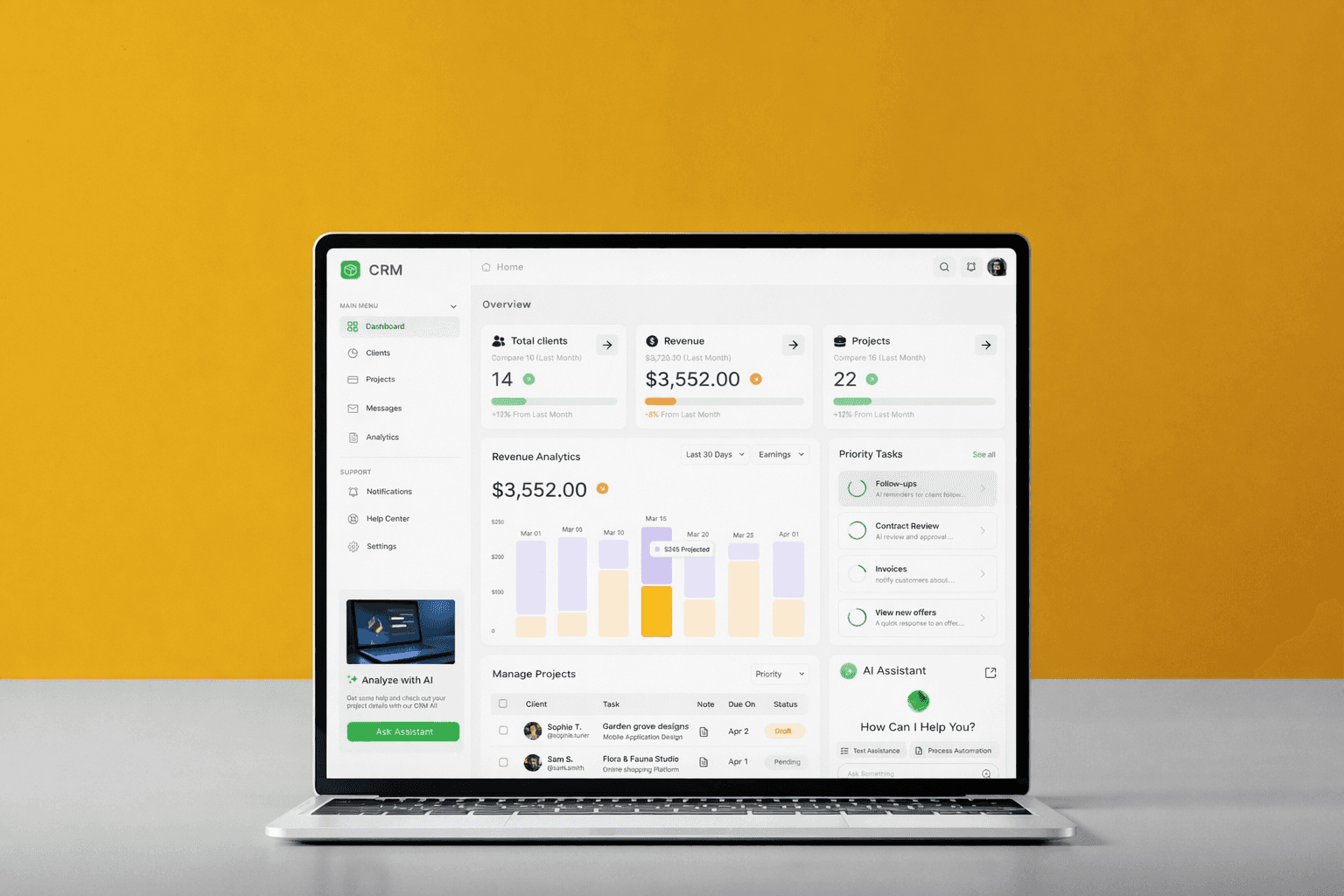
An AI-powered CRM platform designed for B2B SaaS teams and service professionals to manage clients, projects, revenue, and communication in one unified system. The goal was to reduce tool fragmentation, improve decision-making, and simplify complex data workflows through an intuitive and intelligent interface.
An AI-powered CRM platform designed for B2B SaaS teams and service professionals to manage clients, projects, revenue, and communication in one unified system. The goal was to reduce tool fragmentation, improve decision-making, and simplify complex data workflows through an intuitive and intelligent interface.
Project:
Project:
CRM Management Platform
CRM Management Platform
Role:
Role:
UI/UX Designer
UI/UX Designer
Tools:
Tools:
Figma
Figma
Industry :
Industry :
CRM / B2B SaaS
CRM / B2B SaaS
Problem
Problem
B2B teams often rely on multiple disconnected tools to manage clients, projects, and communication. This leads to:
Lack of visibility into revenue and project health
Missed follow-ups and delayed responses
Time wasted switching between tools
Overwhelming dashboards with complex data
👉 Users struggle to make quick, informed decisions due to scattered and unclear information.
B2B teams often rely on multiple disconnected tools to manage clients, projects, and communication. This leads to:
Lack of visibility into revenue and project health
Missed follow-ups and delayed responses
Time wasted switching between tools
Overwhelming dashboards with complex data
👉 Users struggle to make quick, informed decisions due to scattered and unclear information.
Solution
Solution
A unified CRM platform that enables users to:
Track clients and projects in one place
Monitor revenue and performance through clear dashboards
Communicate efficiently using a centralized messaging system
Use AI insights for smarter decision-making
A unified CRM platform that enables users to:
Track clients and projects in one place
Monitor revenue and performance through clear dashboards
Communicate efficiently using a centralized messaging system
Use AI insights for smarter decision-making
My Role
My Role
Conducted research and defined user flows
Designed wireframes and high-fidelity UI
Created a scalable design system
Focused on simplifying complex workflows
Conducted research and defined user flows
Designed wireframes and high-fidelity UI
Created a scalable design system
Focused on simplifying complex workflows
Target Users
Target Users
B2B SaaS teams
Freelancers & service professionals
Project managers handling multiple clients
B2B SaaS teams
Freelancers & service professionals
Project managers handling multiple clients
Key Challenges
Key Challenges
Managing multiple workflows in one platform
Presenting complex data without overwhelming users
Ensuring fast access to critical insights
Reducing cognitive load in dashboard-heavy environments
Managing multiple workflows in one platform
Presenting complex data without overwhelming users
Ensuring fast access to critical insights
Reducing cognitive load in dashboard-heavy environments
Design Process
Design Process
Research
Poor usability
Cluttered dashboards
Lack of actionable insights
Define
Client management
Project tracking
Communication
Design
Created wireframes for structured workflows
Designed high-fidelity screens with a clear hierarchy
Built a consistent design system
Validate
Reviewed usability for clarity and efficiency
Ensured smooth navigation and quick task completion
Research
Poor usability
Cluttered dashboards
Lack of actionable insights
Define
Client management
Project tracking
Communication
Design
Created wireframes for structured workflows
Designed high-fidelity screens with a clear hierarchy
Built a consistent design system
Validate
Reviewed usability for clarity and efficiency
Ensured smooth navigation and quick task completion
Key Design Decisions
Key Design Decisions
Simplified Dashboard Structure :
Reduced cognitive overload by prioritizing key metrics and grouping related data.
AI Assistant Integration :
Introduced AI-driven insights to help users make faster and smarter decisions.
Visual Data Representation :
Used charts and indicators to make complex data easy to understand at a glance.
Centralized Workflow :
Combine clients, projects, and communication into a single system to eliminate context switching.
Simplified Dashboard Structure :
Reduced cognitive overload by prioritizing key metrics and grouping related data.
AI Assistant Integration :
Introduced AI-driven insights to help users make faster and smarter decisions.
Visual Data Representation :
Used charts and indicators to make complex data easy to understand at a glance.
Centralized Workflow :
Combine clients, projects, and communication into a single system to eliminate context switching.
Key Screen
Key Screen
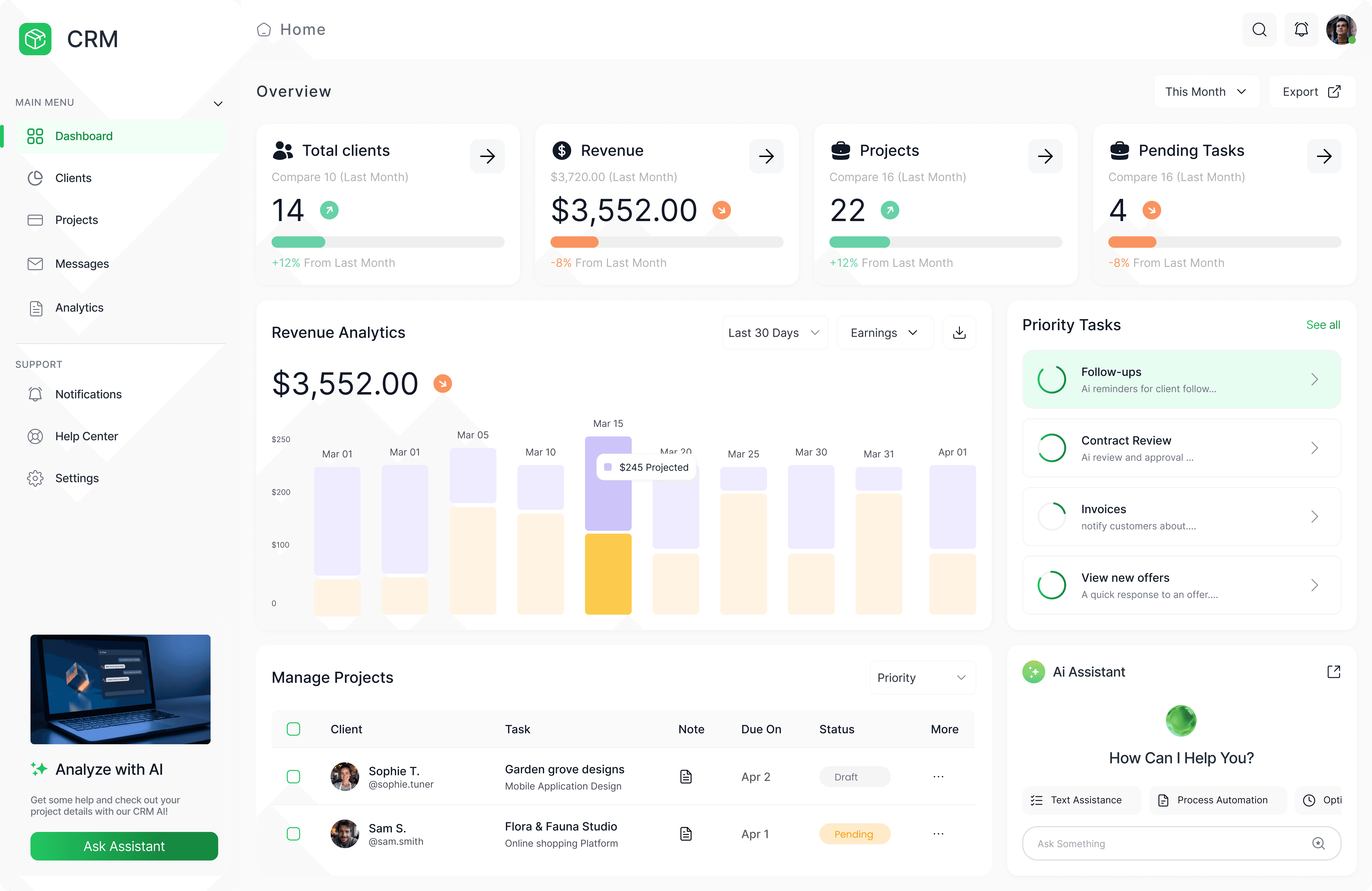
Designed to provide instant visibility into business performance, the dashboard prioritizes key metrics like revenue, active projects, and pending tasks. To reduce cognitive load, information is grouped and supported with visual indicators, allowing users to quickly scan and understand trends without deep analysis. This helps users make faster decisions without navigating multiple screens.
Designed to provide instant visibility into business performance, the dashboard prioritizes key metrics like revenue, active projects, and pending tasks. To reduce cognitive load, information is grouped and supported with visual indicators, allowing users to quickly scan and understand trends without deep analysis. This helps users make faster decisions without navigating multiple screens.
Ai Assistant
Ai Assistant
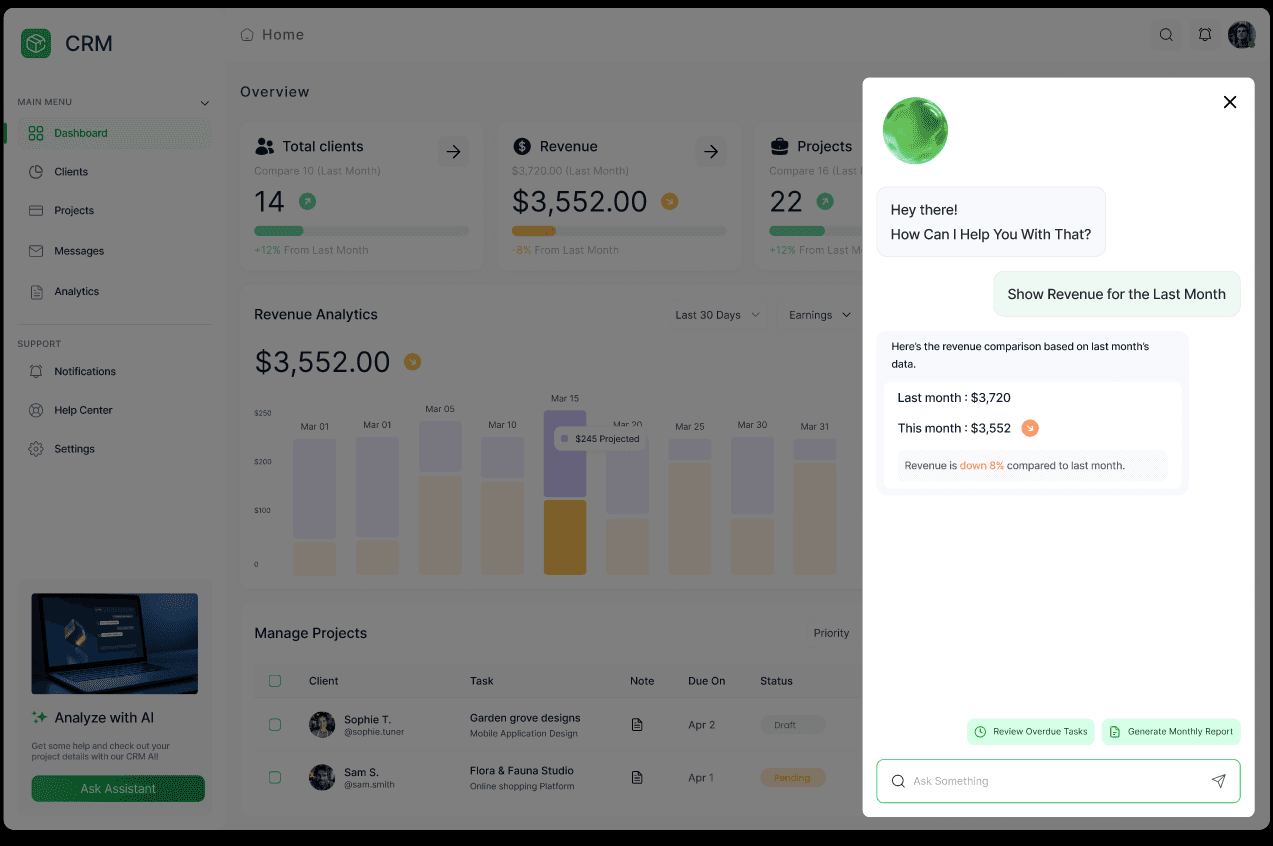
The AI assistant was introduced to reduce manual effort in analyzing data and prioritizing tasks. Instead of navigating multiple sections, users can quickly access insights, summaries, and recommendations through a conversational interface. This improves efficiency and enables faster, context-aware decision-making.
The AI assistant was introduced to reduce manual effort in analyzing data and prioritizing tasks. Instead of navigating multiple sections, users can quickly access insights, summaries, and recommendations through a conversational interface. This improves efficiency and enables faster, context-aware decision-making.
Clients
Clients
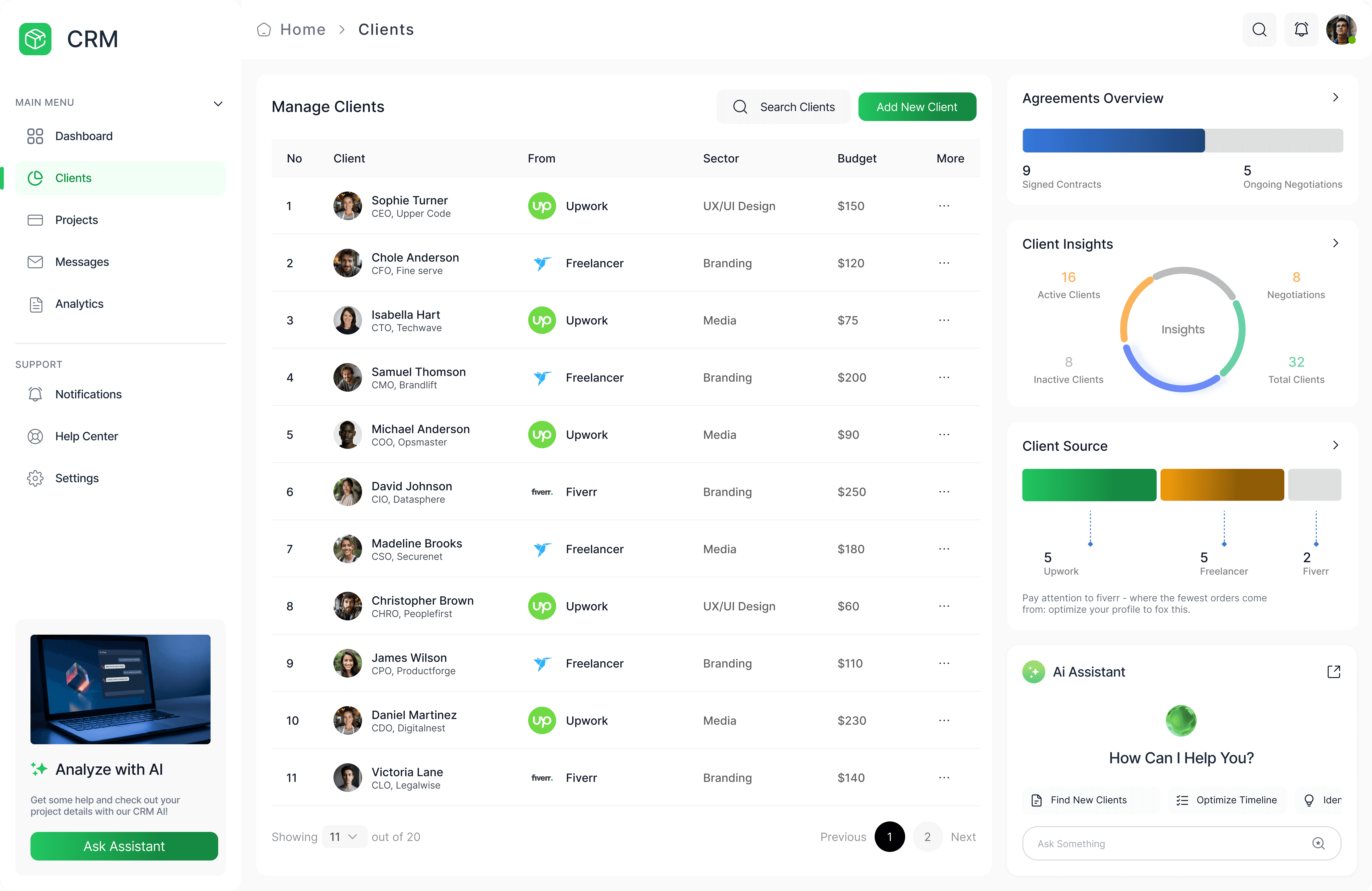
The client management screen is designed to provide clear visibility into client status and business pipeline. Information such as source, sector, and engagement stage is structured for quick scanning, helping users identify active opportunities and potential risks. This reduces time spent searching and improves client management efficiency.
The client management screen is designed to provide clear visibility into client status and business pipeline. Information such as source, sector, and engagement stage is structured for quick scanning, helping users identify active opportunities and potential risks. This reduces time spent searching and improves client management efficiency.
Projects
Projects
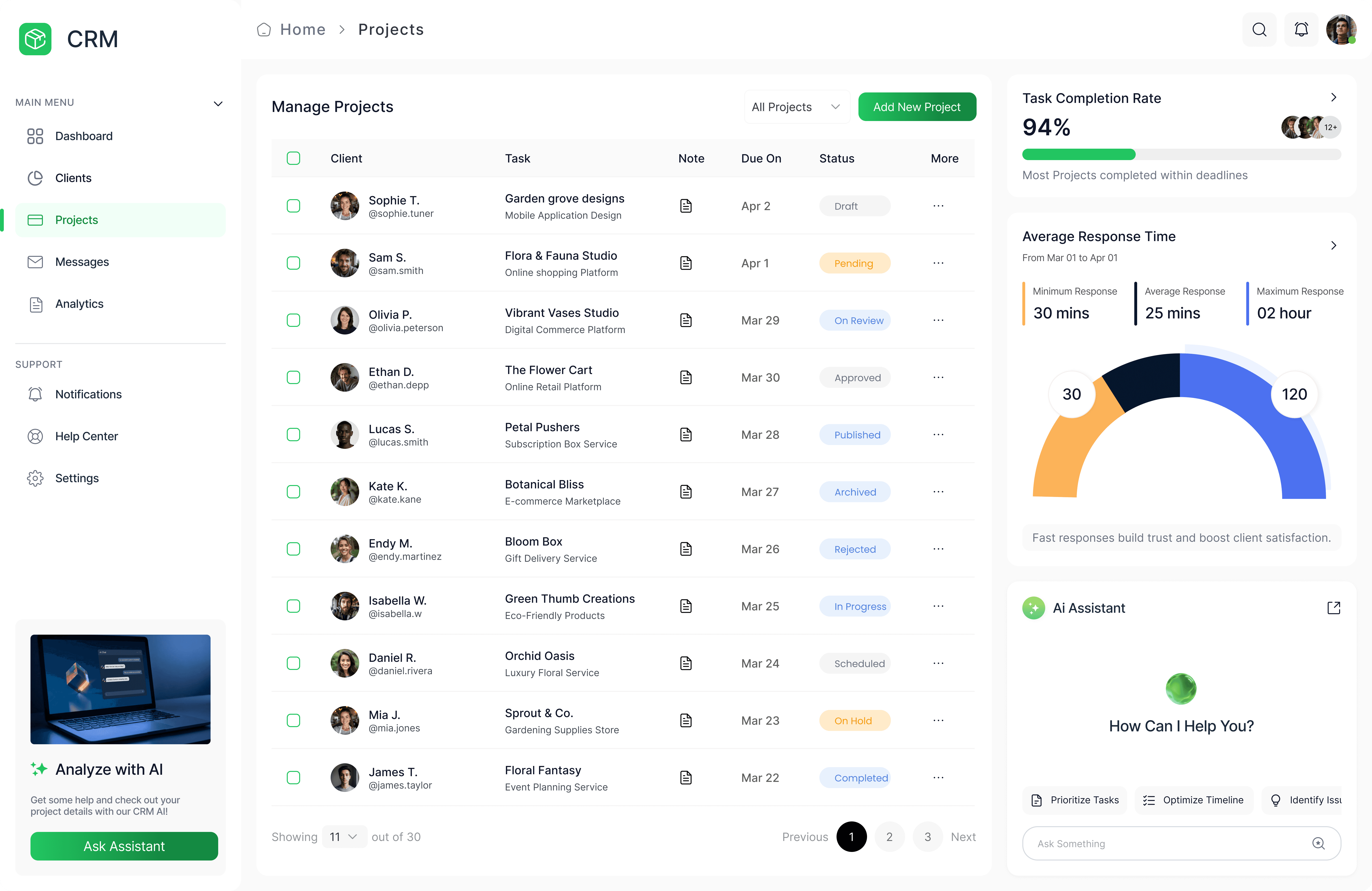
The projects section focuses on task clarity and workflow control, using status indicators and deadlines to help users track progress easily. Filters and structured layouts allow users to prioritize tasks and manage multiple projects without confusion. This improves productivity and reduces missed deadlines.
The projects section focuses on task clarity and workflow control, using status indicators and deadlines to help users track progress easily. Filters and structured layouts allow users to prioritize tasks and manage multiple projects without confusion. This improves productivity and reduces missed deadlines.
Messages
Messages
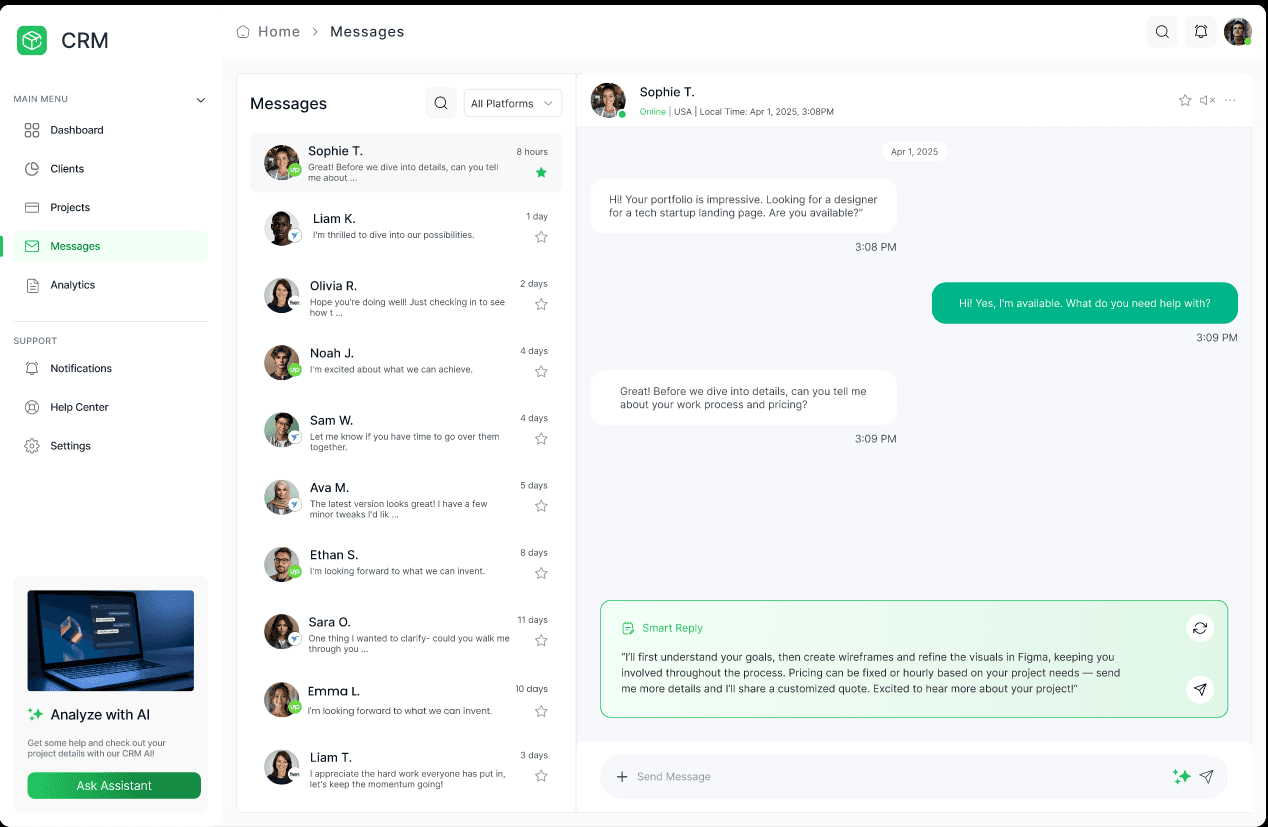
The messages screen centralizes all client communication into a single, organized inbox, reducing the need to switch between multiple tools. Conversations are structured with timestamps, status indicators, and context, allowing users to quickly understand ongoing discussions and respond efficiently. AI-powered suggestions assist in drafting faster and more consistent replies. This improves communication efficiency and reduces response delays.
The messages screen centralizes all client communication into a single, organized inbox, reducing the need to switch between multiple tools. Conversations are structured with timestamps, status indicators, and context, allowing users to quickly understand ongoing discussions and respond efficiently. AI-powered suggestions assist in drafting faster and more consistent replies. This improves communication efficiency and reduces response delays.
Analytics
Analytics
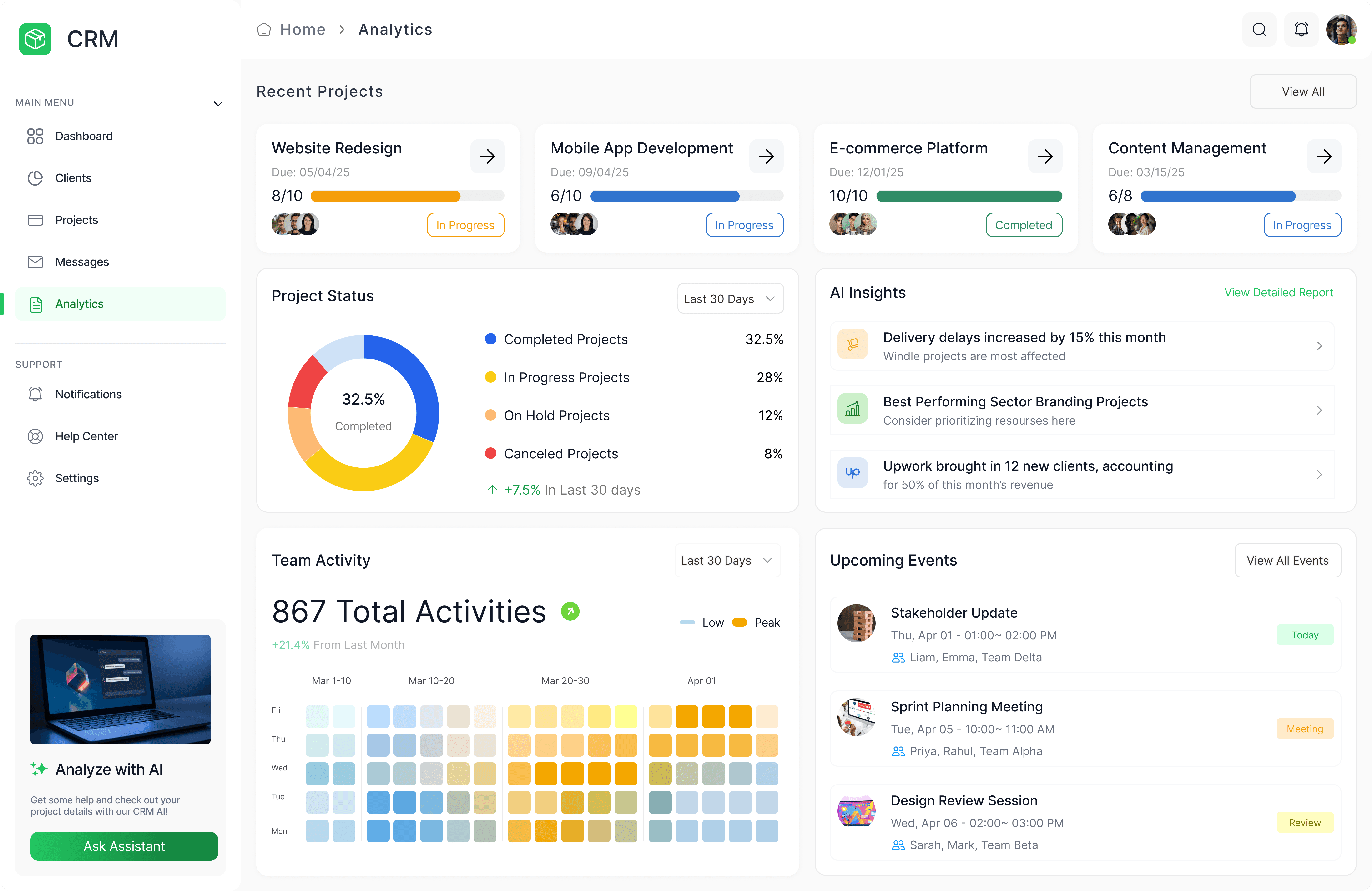
The analytics screen transforms complex data into simple, visual insights using charts and trend indicators. Instead of raw data, users see actionable insights that highlight performance, risks, and opportunities. This supports better strategic decision-making.
The analytics screen transforms complex data into simple, visual insights using charts and trend indicators. Instead of raw data, users see actionable insights that highlight performance, risks, and opportunities. This supports better strategic decision-making.